
Combat quick reactions
Choose the cue you can see, then take one action. Inputs below use Default controls with your weapon drawn. Check the controls section for Alternative or remapped buttons; IGN’s illustrated defence lesson uses Fair difficulty.
A blockable attack is coming
Hold block and match its incoming direction.
PC: Direction + right-click · Xbox: Left stick + LB · PlayStation: Left stick + L1
Get the direction right first. If you are hit, practise the same defence without attacking.
Read the stepsThe shield cue turns orange
On a controller, time the directional stick input while holding block.
This is the timing cue in IGN’s Fair lesson. Direction and timing are separate; read the enemy animation if your settings hide the cue.
Read the stepsA red skull appears
Release a held block, then dodge clear.
PC: Direction + Space · Xbox: Left stick + B · PlayStation: Left stick + Circle
The attack cannot be blocked. A late dodge can still fail; return to the single-enemy dodge drill if you keep getting hit.
Read the stepsAn ability will not fire
Check assignment → day/night form → current cost/cooldown → maximum capacity versus filled charges.
If cost exceeds your maximum, waiting cannot fix it. If capacity is enough but charges are empty, rebuild charges with successful attacks or blocks. LEARNED does not mean ready to cast.
Read the steps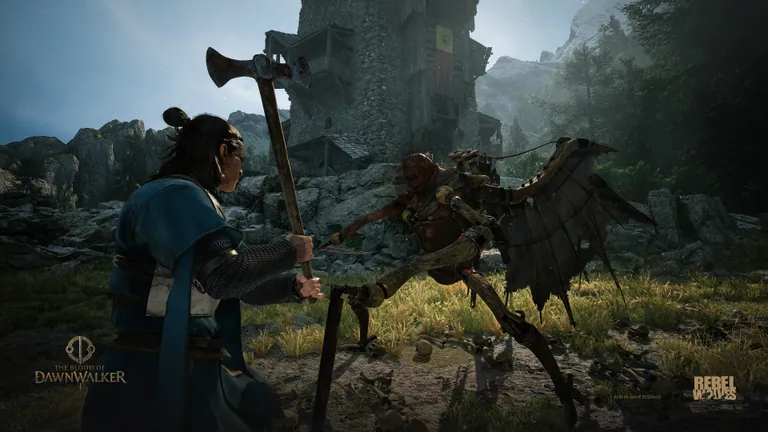
Attacking and Blocking
| Defence | What you do | Stamina and payoff | Main limitation |
|---|---|---|---|
| Omniblock | Hold block while stationary | Spends Stamina to cover incoming blockable directions | Cannot stop an unblockable attack |
| Directional Block | Match the incoming attack’s direction | A correct block costs no Stamina | The wrong direction can leave you exposed |
| Perfect Block | Time a correct directional block just before impact | IGN describes Stamina recovery and a counterattack opening | Direction and timing must both work |
| Dodge | Evade left, right or backward | Ordinary dodges spend Stamina; use them to evade attacks, including unblockables | Moving does not guarantee that you escaped the attack |
| Perfect Dodge | Time a left or right dodge in the indicated direction | IGN describes no Stamina cost, brief slowdown and a counterattack opening | A backward dodge is not the left/right technique described here |
For a red skull, choose evasion rather than another block. If the direction indicator is unavailable, read the enemy’s animation instead. Check your difficulty and indicator settings before expecting the same cues as a video demonstration.
The defence comparison and drills below follow IGN’s Fair-difficulty combat lesson; they are not frame measurements or a claim of testing by this site.
Set your controls before the first drill
Use the following Default bindings from Game8’s September 3 control reference with your weapon drawn. Check Controls first if you use Alternative or have remapped a button. On narrow screens, scroll the tables sideways.
| Action | PC | Xbox | PlayStation |
|---|---|---|---|
| Draw / sheathe weapon | Y | Y | Triangle |
| Ordinary attack | Left-click | RB | R1 |
| Hold block | Right-click | LB | L1 |
| Directional block | W/A/S/D + right-click | Left stick + LB | Left stick + L1 |
| Dodge | W/A/S/D + Space | Left stick + B | Left stick + Circle |
First practise an ordinary directional block using the incoming direction cue. Establish which directional input matches that attack before adjusting timing. The keyboard bindings above come from the control reference; IGN’s later stick-timing explanation was demonstrated on a controller and does not independently test the PC timing behaviour. If cues are hidden, use a familiar attack animation; this guide does not map every enemy animation to a direction.
In the Alternative controller scheme, attack is X/Square and block is Y/Triangle; use the left stick with that block button for a directional block. Dodge stays B/Circle with the left stick. Game8 lists RT/R2 for drawing the weapon in Alternative; it does not establish a sheathing sequence there. Focus and ability inputs have a different context, covered in the wheel table.
Source: Game8: Default and Alternative combat controls. These are recorded bindings, not controls tested in-game by this site.
Practise Perfect Block: direction first, timing second
Choose a manageable encounter and begin with blockable attacks. Use your configured directional-block controls; IGN demonstrates this with a controller, not a verified keyboard sequence.
- Read the incoming direction. First aim for an ordinary correct block. If the attack hits, recheck direction before trying to improve timing.
- Separate holding block from choosing its direction. In IGN’s lesson, the timing check follows the directional stick input, rather than the first press of the block button. You can begin holding block, then make the directional input close to impact.
- Look for the better defensive result. IGN describes a successful Perfect Block as restoring Stamina and opening the enemy to a counterattack. Blocking successfully without that payoff is a reason to adjust timing, not immediately change direction.
- Take one opening, then reset. Make one ordinary attack before returning attention to the next enemy wind-up. Repeat until you can distinguish a correct block from a well-timed one.
IGN uses an orange shield cue in its Fair demonstration. That cue belongs to the demonstrated difficulty and settings. Match direction and time the response near impact instead of assuming that every setup displays the same colour. There is no measured frame window in this guide. If Stamina is already full, the bar cannot show an increase; do not use that alone to label the block a failure.
Watch IGN: Perfect Block timing · 2:29. The link opens the original demonstration at the relevant explanation.
The illustrative frame is retained in our research evidence and is not republished here without a recorded reuse basis. View IGN · 2:30 ↗.
Practise Perfect Dodge without mixing up its two requirements
First release an existing block, then practise a left or right dodge against an attack you can read. IGN’s method uses both the indicated direction and near-impact timing.
Start by escaping the hit. Once that is consistent, adjust timing and watch for the brief slowdown that IGN identifies with its full Perfect Dodge result. Its explanation also distinguishes a well-timed dodge in the wrong direction: the attack can miss without spending Stamina, but the slowdown is absent. Surviving a dodge therefore does not by itself identify which result you achieved.
If you still take damage, practise that attack alone before adding a counterattack. If you evade but miss the slowdown, reassess direction and timing separately. Once the opening is readable, add one counter rather than a long attack string.
Watch IGN: normal and Perfect Dodge · 1:16. The link opens the original demonstration at the relevant explanation.
Red skull, held block, and attacks you can cancel
If dodge seems unresponsive while you are guarding, let go of block first. IGN’s presenter explains that holding block kept Coen stationary and prevented the attempted dodge. Its recommended response is: recognise the red skull → release block → dodge clear. A skull warns against blocking; it does not promise that any late dodge will succeed.
You can also prepare to defend while attacking. IGN says standard attacks can be cancelled into block or dodge. Practise with one ordinary swing, switching to an appropriate defence as the enemy winds up. Do not extend that advice to every spell, ability or weapon art; their cancel behaviour is not established here.
For groups, keep checking where the additional attacker is relative to Coen. IGN suggests reading a flanking attacker’s side while concentrating on the front enemy’s changing attack direction. Treat this as a positioning aid, especially when the camera moves, rather than a guarantee for every enemy or rear attack.
Watch IGN: release block before dodging · 2:05. The link opens the original demonstration at the relevant explanation.
Watch IGN: cancel standard attacks · 3:50. The link opens the original demonstration at the relevant explanation.
The illustrative frame is retained in our research evidence and is not republished here without a recorded reuse basis. View IGN · 2:25 ↗.
Check what happened when you tried to cancel
Use one ordinary attack against one readable enemy. The exercise succeeds defensively when you return to a block or dodge and avoid the incoming hit. That result alone does not prove you interrupted the swing: it may already have finished. Watch whether the attack visibly gives way to the defensive action, without treating that observation as a measured cancel window.
If you are hit, first practise the same defence without attacking. Once it works, add one swing and try returning to defence earlier. Check that you used a standard attack and the correct control scheme; release a held block before trying to dodge. If the transition remains unclear, keep using isolated attacks and reset to defence instead of assuming every move can be cancelled.
Turn an opening into useful damage
Omniattack chooses the attack direction for you; Directional Attack lets you choose it. IGN warns that repeated attacks from the same direction become easier for enemies to block. Try a different direction when your follow-up keeps meeting a guard, then return to defence.
Check the equipped weapon’s Fast, Medium or Slow label when adjusting your rhythm. A faster label is not a complete damage ranking. Learn the recovery of your current weapon before extending the attack string.
Stamina and Activation Charges
Stamina pays for actions such as attacks, sprinting and Omniblock. Game8 describes zero Stamina as causing Fatigue, with slower and less effective attacks. The exact exhaustion penalty has not been independently verified here; keep some Stamina available for your next defensive action. Activation Charges are a separate ability resource. A ready cooldown does not establish that you can afford the selected ability.
Check these conditions in order:
- Learned and assigned: unlocking purchase access is not learning the ability, and learning does not assign it to your bar.
- Correct form: Witchcraft is daytime, Vampirism nighttime, and Swordmastery works in both.
- Current cost: read the selected rank’s charges, Health cost and cooldown.
- Capacity versus filled charges: if maximum capacity is too low, waiting for regeneration cannot solve it. If capacity is sufficient but empty, successful attacks or blocks and relevant restoration effects can rebuild charges.
IGN’s earlier beginner video shows this distinction with Ravenous Flock: a HIGH ACTIVATION CHARGE COST warning allows learning to continue, followed by LEARNED, even though the character cannot yet meet its charge requirement. That displayed version requires two charges. Check your own rank before planning a cast.
If capacity is the problem, inspect Sustained Focus:
| Rank | Recorded effect | Recorded learning cost |
|---|---|---|
| 1 | Capacity becomes 2 charges | 1 point + 1 time segment |
| 2 | Start combat with 1 filled charge | 1 point + 1 time segment |
| 3 | Capacity becomes 3 charges | 1 point + 1 time segment |
| 4 | Capacity becomes 4 charges | 2 points; sources differ on 1 or 2 time segments |
Rank 2 changes your opening charge, not capacity. Compare the rank-four source records and check the confirmation in your current build before spending time.
Sources: Game8’s Activation Charges and Sustained Focus reference; IGN’s learning warning and result · 5:13. The demonstrated learning warning is not a successful cast.
Learning is not the same as having enough capacity
The illustrative frame is retained in our research evidence and is not republished here without a recorded reuse basis. View IGN · 5:16 ↗.
The illustrative frame is retained in our research evidence and is not republished here without a recorded reuse basis. View IGN · 5:20 ↗.
Ability Wheel and Quickslots
Focus, wheel selection and activation are separate inputs. These are the bindings in the September 3 Game8 control reference; use your current Controls screen if you have remapped them.
On a narrow screen, scroll the table sideways to compare platforms.
| Action | PC | Xbox | PlayStation |
|---|---|---|---|
| Focus | Hold right-click; weapon sheathed | Hold LT | Hold L2 |
| Ability Wheel control while focused | Hold Z | Left stick | Left stick |
| Use selected ability while focused | Left-click | A | Cross |
| Quickslots | 1–4 | D-pad | D-pad |
Controller example: hold LT/L2, select with the left stick, then press A/Cross. Releasing Focus is not the activation command in this reference. Default and Alternative controller schemes retain these wheel inputs; Alternative moves attack to X/Square, block to Y/Triangle and weapon swap to A/Cross outside Focus. Check the active context before using a face button.
Source: Game8 control tables, including their button-image labels.
PC wheel limitation: the captured control table lists Hold Z while Focused but does not explain the selection movement inside the wheel. Follow your on-screen binding guide for that step. For an assigned ability, the documented 1–4 quickslots provide a direct alternative; a console stick instruction is not a verified PC instruction.
Prepare both day and night bars
Open Active Abilities to manage assignments. The preview-based skill guide describes four quickslots for each form: Witchcraft goes on the day bar, Vampirism on the night bar, and Swordmastery can appear on either. Check both bars after changing your loadout; assigning a daytime hex does not prepare your nighttime selection. Source: Hack the Minotaur’s Active Abilities section.
For assignment, follow your current panel’s prompts and check that the intended ability appears in the correct day or night set before combat. The preview reference does not show the full select-slot-confirm sequence.
For controller quickslots, Game8 lists D-pad, and separately lists LB/L1 as Toggle Quickslots in its Alternative scheme. It does not establish their order or whether D-pad selects or immediately uses an ability. Use the documented Focus → left-stick selection → A/Cross wheel sequence when you need an explicit controller activation sequence; these quickslot entries alone are not that sequence.
Day vs. Night Combat
Equipped weapons and Swordmastery remain available at night alongside claws and Vampirism. IGN notes that a claw art depends on the equipped bracers providing one; access to claws alone does not establish that art’s availability.
Check your weapon art’s cooldown separately from ability requirements. IGN says switching between sword and claws at night does not reset that cooldown. Do not swap expecting an immediate extra use. The video’s Song of Valour panel shows 15 seconds for that weapon, not a universal cooldown for every art.
For your next encounter, set one learning goal: read and block a direction, land a Perfect Dodge, or recognise an ability’s missing resource. Change one thing, observe the result, and only then combine it with the rest of your combat routine.
For specific ability descriptions and learning costs, use the skill reference. Compare individual equipment in the weapon database; for encounter-specific priorities, see the boss guide.
Watch IGN: weapon arts and switching at night · 6:56. The link opens the original demonstration at the relevant explanation.
Choose one goal for your next fight
Practise a correct directional block before chasing a Perfect Block. Next add one counterattack, then try one assigned ability once its resources are ready. This is a suggested learning exercise, not a tested damage rotation. A successful drill means you can identify what you changed and whether you blocked, evaded, countered or spent a charge; repeating a long attack string does not tell you which part failed.
The official gameplay recap also shows attacks and defences building into ability use.
Performance and input context
If the control is working but the image is difficult to read or the frame rate is unstable, use the PC settings and repeat-scene guide. It keeps hardware conditions separate from the combat timing evidence above.
FAQ
What does the skull icon mean in combat?
It marks an unblockable attack: evade instead of blocking. IGN also recommends releasing a held block before attempting the dodge. You still need to move clear in time; the skull is not a guarantee that any dodge will succeed.
Should I use Omniblock or Directional Block?
The guide describes Omniblock as automatically choosing the direction at a Stamina cost. A correct Directional Block costs no Stamina but requires matching the incoming direction. Timing that correct block just before impact is the separate Perfect Block condition. Neither option blocks an attack marked unblockable.
Can I use weapons at night as a vampire?
Yes — equipped weapons and Swordmastery stay usable at night alongside claws and Vampirism abilities, so you can switch mid-fight.
Why can I learn an ability but still not use it?
Learning, assignment and usable resources are separate checks. Confirm the current day or night form, required Activation Charges, maximum charge capacity, Health cost and cooldown. If the maximum capacity is too low, waiting for charges to regenerate cannot fix it; check the relevant Sustained Focus rank.
Can I cancel every attack with a dodge?
IGN describes cancelling standard attacks into a block or dodge. This guide does not extend that behaviour to every ability, spell or weapon art, and does not provide a measured cancel window.
Sources and coverage
- Game8: Combat Gameplay — Community combat explanations. Current button labels were rechecked in fresh HTML; these bindings have not been tested in-game by this site.
- Community Bulletin Board #11: Skills & Power — Official day/night skill-tree use.
- IGN: early combat mastery guide — Third-party Fair-difficulty lesson used for the defensive drills, cancellation advice and night-weapon discussion. This site has not independently reproduced the timing windows.
- IGN: learning an ability with insufficient charge capacity — The recorded 5:13–5:21 UI sequence distinguishes learning from having enough charge capacity; it does not show a successful cast.
Source review dated September 6, 2026, using recorded official material and community guides; illustrated additions reviewed September 9, 2026. Exercises are editorial suggestions based on those sources, not hands-on testing by this site. Exact costs and available cues depend on the selected ability, equipment and settings; use your current game display when they differ.